


Version 1.09 of PGF/TikZ added a library for drawing mindmaps. Here's an example from the manual.
Author: Till Tantau Source: The PGF/TikZ manual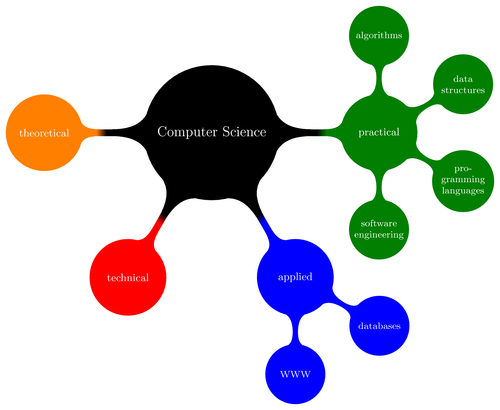
Edit and compile if you like:
% Author: Till Tantau
% Source: The PGF/TikZ manual
\documentclass{article}

\usepackage{tikz}
\usetikzlibrary{mindmap}

\begin{document}
\pagestyle{empty}


\begin{tikzpicture}
  \path[mindmap,concept color=black,text=white]
    node[concept] {Computer Science}
    [clockwise from=0]
    child[concept color=green!50!black] {
      node[concept] {practical}
      [clockwise from=90]
      child { node[concept] {algorithms} }
      child { node[concept] {data structures} }
      child { node[concept] {pro\-gramming languages} }
      child { node[concept] {software engineer\-ing} }
    }
    child[concept color=blue] {
      node[concept] {applied}
      [clockwise from=-30]
      child { node[concept] {databases} }
      child { node[concept] {WWW} }
    }
    child[concept color=red] { node[concept] {technical} }
    child[concept color=orange] { node[concept] {theoretical} };
\end{tikzpicture}\end{document}
Click to download: computer-science-mindmap.tex • computer-science-mindmap.pdf
Open in Overleaf: computer-science-mindmap.tex